Cubetower

Abstract
Isometric Mahjong solitaire variant.

Essentials
Motifs (M): Number of different symbols, usually unique pictures.
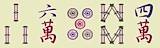
Exceptions are Mahjong’s Flower and Season motifs, both having multiple (4) variations (Plum blossom, Orchid, Chrysanthemum, Bamboo / Spring, Summer, Autumn, Winter), basically for artistic reasons and to increase the tile number.

Pairs (P): Number of pairs per motif.
Obviously at least 1 pair is mandatory for such pile reduction games (like in Memory), and Mahjong features 2 pairs. This number could also be higher to make the game easier.

Cubes (N): A tower’s total number of cubes.

Width (K): A tower’s side length in cubes.
Although rectangular or arbitrary base shapes are possible, for symmetry (and algorithmic simplicity) it’s always square in our case.

Height: A tower’s height in cubes.
Note that the topmost plane may be filled only partially, depending on divisibility (by Width²) of the total number of cubes.

Size: A tower’s bounding box.
We support a max. width of 8, and a max. height of 16, resulting in a max. number of 1024 (8×8×16) cubes.

Score: During runtime players get 1 point per pair removal.
Clearance yields a bonus for motivation. These extra points are calculated individually, depending on difficulty. Apparently gameplay is the harder (more tedious) the more motifs, and the easier the more pairs, making Motifs and Pairs opposing factors: M / P.
Given our default theme Mahjong (with M=36 and P=2), we get 18 (36/2) here, but that’d be too tiny a bonus - compared to the 72 points (1 per pair) already scored at this point. Let’s set it to a motivating 144 to also reflect the total tile number, which can be done by a factor of 8 (8×18=144). Since the value of Pairs could be odd, leading to decimal places, we apply a rounding step and get the formula:
bonus = round(8 × M / P)

Features :: Generator
Like in real board games or many simulators, a traditional pile structure has roughly 25% or more of its tiles sitting on edges, thus giving enough opportunities to find pairs, and a purely random shuffle works decently there.

In our case, however, only about 10% of cubes sit on a tower’s edge, making it significantly harder to break in and continue. Hence, to reduce frustration, we need to use an algorithm to create an arrangement that is guaranteed to be solvable at all.
Simple backwards strategy: the tower gets built up from scratch by adding (in visible locations) one random pair after the other until the shape is filled.
Features :: Button: Reset
For those who got stuck and want to restart, trying a different removal order.
Of course, the score has to be reduced by the points collected in the aborted try-out.
Features :: Button: Check
To tell the player how many pairs are currently free.
In theory, this scan could also collect the pair positions to offer a hint.
Features :: Display: Score
For those who like to see numbers raise. As mentioned above, each pair removal gives 1 point, and there’s a bonus upon completion.
Features :: Display: Pairs
Shows basic stats: number of removed / total pairs.
Features :: Display: Clock
Showing the minutes passed. Note, that the timer only starts upon first pair removal, giving leeway to study the layout and plan ahead.
Its 360° cover half an hour, which seems sufficient for the mostly played towers of ~150…200 cubes.
Features :: Display: Cube info
Showing the lastly clicked cube. Needful in situations where a cube’s motif is partly or fully covered.
Features :: Mouse pointer
The viewport should exhibit a large mouse pointer icon in cube colour tones, just to round up style consistency.
Configurator
Parameters
Motifs (M): [1…120] symbols
Pairs (P): [1…512]
Cubes (N):
1024
[2…1024]
Possible tower sizes (K2×H):


ScoringPairs (N/2):
72
[1...512]
Solve bonus (8×M/P):
144
[8...960]
Total:
216
points
Tower
Viewport

Cube
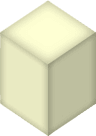
23First we define all our images to have a portrait format of 2:3 (1:1.5), which is narrower than average Mahjong tiles, but also closer to average card image sizes.

66494 For isometric appearance we apply pretty much the same ratio (3:2) to the top area, which yields integer ratios of 4:6:9 in the overall shape, making it 12:17 for the whole cube.
The skew angle of the sides is 34°, i.e. a raised camera position compared to the usual 30° isometric angle, giving our cube a slightly emphasized top-down view. Since the ratios of images (2:3) and top area (3:2) are inverted, the (visually upright) image on top gets squished to square format. It also has to be scaled down a bit (92%) to better match the available space and to avoid its bottom corners sticking out too much over the side images.

The bounding box size of 96×136 px allows large (8×8) planes to fit inside the viewport width of 768 px.

Thin border shadows around the surfaces establish a grid effect on the tower.
Colouring (light: #feffd3, middle: #e9eac2, dark: #bebf9e) provides a 3d impression.

Tower
General notes regarding gameplay:

At game start, only the 3 (or more, in case of partial plane) front edges are accessible for removal.

Due to both our camera angle (34°) being flatter than 45°, and our cubes being higher than standard cubes, there’s (intentionally) no perfect diagonal visual covering: the bottom part of a lower cube behind is visible (and therefor clickable / selectable).
It is possible that a cube has been set free without being visible (selectable) - see example on the left, where the dashed cube sits diagonally right behind the lower front cube.
As a consequence, the check function might (rightfully) report a free pair, although one of its cubes isn’t accessible to the player.

Themes
ThemeMotifsExamples
Alphabet
A…Z
26
Mahjong Jr.
3×9 Suits
27
Zener
Symbols
30
Numbers
1…36
36
Alphanum
0…9, A…Z
36
Mahjong
Traditional
36
Cartoon
Sketches
46
52 Cards
Suits
52
Flags
International
124

Tools
At certain thresholds, e.g. every 20th move, a tool object falls on a random (x,y) position inside the tower’s footprint, landing either on top of a cube or on the floor.

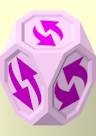
These purplish (#ecc2ea) objects have their cube corners cut, giving them octagonal surfaces, which are also inset, mainly to compensate for the usual cubes’ border shadows.
Swap
On first click, swap-mode gets
activated:
Now, as soon as two normal cubes are selected, their positions are exchanged, swap-mode is switched off, and the tool object disappears.
On a second click (while active), swap-mode is merely switched off, so players can change their mind.